Legacy system modernization strategies come down to a short list of moves: retire the system, keep it as it is, move it unchanged, move it with light changes, restructure it, or replace it. The right one depends on what hurts today, not on what is fashionable. This guide explains each option in plain terms, shows how to match symptoms to strategies, and describes why most successful projects change a system in pieces instead of all at once.
Legacy system modernization strategies in plain words
Several sources name the options, with slightly different labels. AWS’s migration guidance lists seven: retire, retain, rehost, relocate, repurchase, replatform and refactor. IBM lists five: encapsulation, rehosting, refactoring, replatforming and rebuild or replacement. AWS writes about moving workloads to its cloud, so read its list as vocabulary rather than a cloud sales pitch. The table translates the common ones.
| Strategy | What changes | Fits when |
|---|---|---|
| Retire | The system is switched off or archived | Nobody gets value from it, or it runs on components that are no longer supported |
| Retain | Nothing, for now | Data-residency limits, high migration risk, or another system must move first |
| Rehost (“lift and shift”) | Where it runs. The application is not changed. | You need to leave old hardware or a data centre quickly |
| Replatform | Where it runs, plus some optimization | A managed service can replace something you maintain by hand |
| Refactor or re-architect | The structure of the application itself | The design blocks new features, or nobody knows how to maintain it |
| Repurchase or replace | The system is swapped for another product or a rebuild | A standard product now does the job, or the code is past saving |
Retain and retire get ignored most often, and they are often right. AWS lists both as strategies in their own right.
Start with what hurts
Pick among legacy system modernization strategies from symptoms. The mapping below is our editorial judgment, drawing on the use cases AWS lists for each strategy.
| Symptom | Strategy to examine first |
|---|---|
| Hosting or operating system is out of support | Rehost or replatform |
| Simple changes take months because the code is tangled | Refactor, in pieces |
| Nobody understands the code and there are no tests | Map and document before any strategy |
| A SaaS product now covers the same job | Repurchase |
| Few people use it and it holds no unique data | Retire |
Notice that one symptom, “nobody understands it”, is not a strategy at all. It is the reason many modernization plans stall, and the next sections deal with it.
Why the big-bang rewrite so often fails
Among legacy system modernization strategies, the full rewrite is the most tempting: build a new system that does exactly what the old one does, on better technology. Martin Fowler writes that he and his colleagues have seen this simple-sounding plan fail most of the time. His reasons: replacing a serious system takes long, users cannot wait for new features meanwhile, replacements seem easy to specify but the details of existing behavior are hard to recover, and much of that behavior is not even wanted. Rebuilding it is waste.
That is a practitioner’s view, not a law. A full replacement is still right for some systems, for example when a standard product covers the job. The point is to treat it as a decision with evidence, not as the default.
The strangler fig route: modernize in pieces
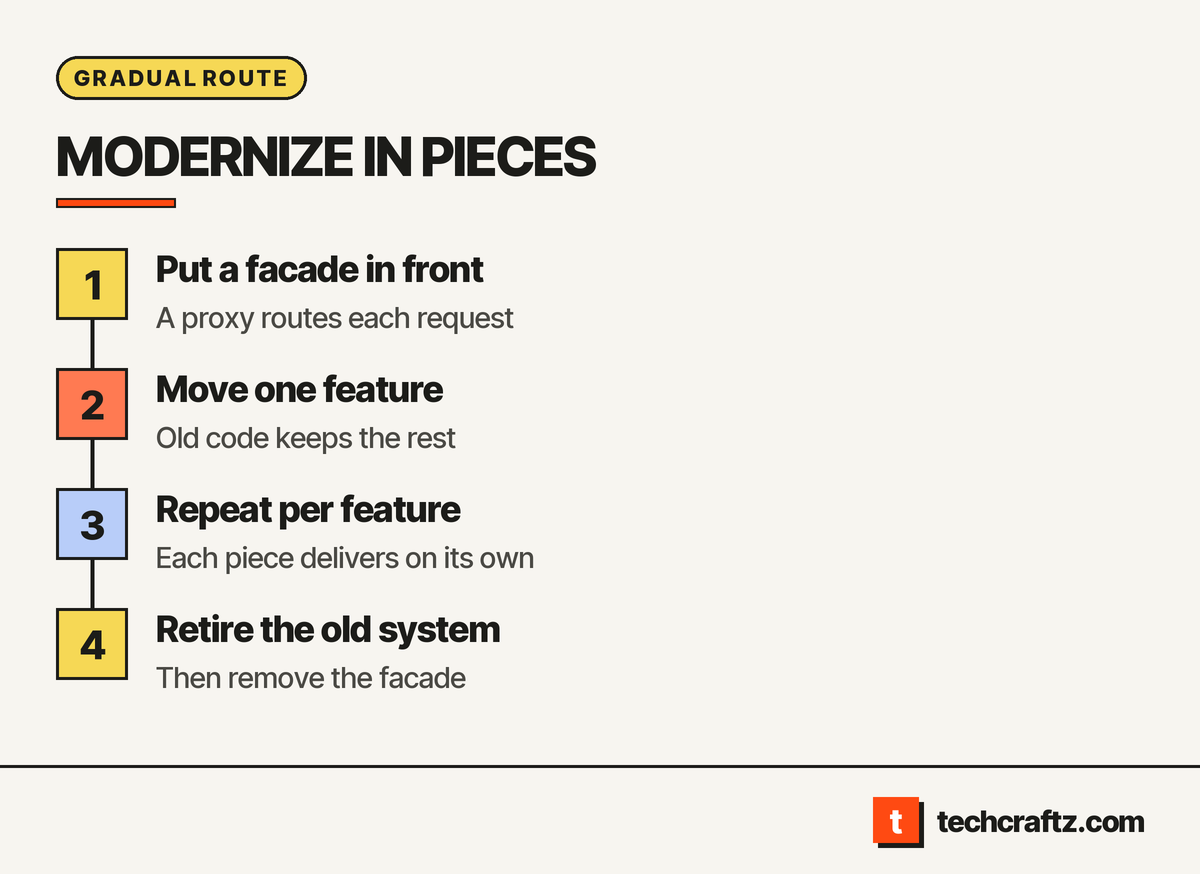
Fowler’s alternative, which he calls the Strangler Fig, is now a common name for the gradual legacy system modernization strategies. It replaces a system step by step. It starts with small additions, often new features, built on top of the legacy code but separate from it, and then moves behavior across bit by bit. Microsoft’s architecture guidance describes the mechanics: a facade, which is a proxy, sits in front of the old system and routes each request either to the old code or to the new service. Features move one at a time. When nothing depends on the old system any more, it is shut down and the facade is removed.
Two cautions from that guidance are worth repeating. First, data stores shared by old and new code need a plan, because both sides must reach them while the migration runs. Second, the facade is transitional architecture. It costs effort and it goes away, which people sometimes resent. Fowler argues the reduced risk and earlier value outweigh the cost.
Map the system before choosing
Every one of the legacy system modernization strategies above assumes you know what the system does and what it touches. Kodesage’s roadmap starts the same way, with discovery and dependency mapping. Ask for these in writing before any build starts:
- A component inventory: what runs where, on which versions
- Every integration, with the owner on the other side
- Data flows and where each record is stored
- The behaviors the system performs, each tagged wanted, unwanted or unknown
- Who still knows how it works, and what happens when they leave
That map is the deliverable of a software discovery phase, and it feeds directly into the technical debt plan if you are weighing a paydown instead of a move.
Plan the cutover and the exit
A strategy is not finished until the old system is gone. Write down:
- A parallel run. How old and new are compared before users switch.
- A rollback. What happens, and who decides, if the new piece misbehaves.
- Data migration checks. What is compared, by whom, before records are trusted.
- A decommission date. An old system left running “just in case” is a standing security and maintenance risk. AWS lists unsupported operating systems and components as a reason to retire.
- Documentation and ownership. The new code, accounts and runbooks belong to you from day one, as in our custom web application guide.
Choosing between legacy system modernization strategies
Five questions settle most cases:
- What exactly hurts: hosting, change speed, security, or cost of upkeep?
- Does a standard product now do this job, so that a rebuild is unnecessary?
- Do we know what the system does, or do we need the map first?
- Can the work be cut into pieces that each deliver something?
- Who owns the result when the project ends?
You may not need a rewrite. Often a retire, a retain or a rehost followed by gradual refactoring is enough.
Send the brief, get a written scope
techcraftz puts scope, milestones and the estimate in writing before the first line of code, then hands over the code, the accounts and the keys. For modernization, the first deliverable is the map above, then a piece-by-piece plan. Read about our custom software development work or the techcraftz overview, then describe the system you want to change.
Get a written scope for your modernization.
Last checked: October 14, 2026. Guidance changes; verify before you commit.
Talk to us about your project
Tell us what you need. We help you scope the build, the milestones and a realistic estimate.
View services