Cross platform app development means building an iOS and Android app from one shared codebase instead of two native ones. It fits most business apps: accounts, forms, lists, payments, notifications. It stops fitting when the product depends on deep hardware access, constant on-device processing or platform features on release day. The framework logo matters less than one question: how much of your app touches the phone itself?
Shared code in cross platform app development, and what stays separate
“One codebase” hides different designs. Each one shares different things, and the difference shows up later as cost, speed and limits. Cross platform app development is a family of approaches, not one technique.
| Approach | Language | How the screen is drawn | What is shared |
|---|---|---|---|
| Flutter | Dart | Its own rendering engine, no web browser underneath | Logic and UI |
| React Native | JavaScript | React components backed by real Android and iOS views | Logic and most of the UI |
| Kotlin Multiplatform | Kotlin | Native UI, or Compose Multiplatform for a shared UI | Logic, and UI if you choose |
| .NET MAUI | C# and XAML | Native controls per platform | Logic and UI |
| Ionic | HTML, CSS, JavaScript | Web technology with plugins for camera, GPS and similar | Nearly everything, inside a web layer |
The descriptions come from the Kotlin Multiplatform documentation and the React Native documentation. The Kotlin page is published by a framework vendor, so treat its ranking language with care. The facts in the table, such as language and rendering approach, are not in dispute.
What is never shared: store accounts, store review, signing keys, and the backend. Each platform still reviews every release. That work is the same whichever framework you pick, so a cross platform app development quote that skips it is incomplete.
Native, hybrid or cross-platform: terms that sources disagree on
Sources use these words differently. Microsoft separates hybrid apps, which are web code in a native shell with an embedded browser, from cross-platform apps that render natively. Monterail calls hybrid “a subset” of cross-platform. Both are defensible.
In this guide, hybrid means a web app inside a wrapper. Cross-platform means one codebase, with either native views or the framework’s own rendering. Native means separate Swift and Kotlin projects. If a vendor says “cross-platform” in a proposal, ask which of the three they mean. The answer changes performance, upgrades and who can maintain the code.
The case for cross platform app development
The case is strongest when the following are true:
- The same product must exist on both stores. One roadmap, one team, one set of bugs to fix.
- The app is mostly screens and data. Sign-in, lists, forms, maps, payments, push notifications. Microsoft notes that cross-platform apps have traditionally suited simpler apps.
- Speed to a first release matters. CircleCI lists faster delivery and a single codebase to maintain as the main gains.
- You are testing demand. For an MVP, two native builds spend effort before you know the product is wanted.
- Your team already knows the language. Kotlin teams look at Kotlin Multiplatform. React teams look at React Native. Skills decide more than benchmarks do.
If your need is closer to a website with a few interactive features, a web application or a progressive web app may remove the store process entirely. Our guide to custom web application development covers that decision.
Limits of one codebase
CircleCI names four weaknesses of cross-platform builds. Each maps to a situation worth checking before you commit to cross platform app development.
- Hardware-specific integrations. Some need developers skilled in native code. If the core feature is a sensor, a Bluetooth device or GPU work, plan native modules from the start.
- Delayed platform features. New operating system features arrive in native SDKs first. A cross-platform app waits for the framework or a plugin to catch up. If being first on a new OS release is part of your plan, native is safer.
- Larger app size. Cross-platform apps usually ship a runtime, so the download is bigger.
- A runtime layer. CircleCI notes that Flutter’s Impeller renderer and React Native’s Fabric architecture have narrowed the performance gap. Narrowed is not closed. Microsoft names heavy data processing and 3D gaming apps as cases where native is mandatory.
Cross-platform does not remove native work. It moves native work into plugins and bridges, and Microsoft points out that a team still needs native expertise to customize them. Ask who on the team can read the Swift and Kotlin side when a plugin breaks.
The AI feature: hosted or on-device
Does an AI feature change the answer? It depends on where the model runs, and that is the question many framework comparisons skip.
- Hosted model over an API. Native, hybrid and cross-platform apps all make the same network request and get the same result. Microsoft’s guidance is that the approach barely changes what the AI can do.
- On-device model. Native code calls Core ML on iOS and ML Kit or TensorFlow Lite on Android directly. A cross-platform app reaches the same frameworks through plugins, with one more layer between your code and the chip.
Microsoft separates the load. Features that run inference many times per second, such as live camera classification or continuous speech recognition, benefit most from native access. On-demand tasks such as document scanning, receipt capture or barcode reading run well in cross-platform apps.
Choosing an approach by situation
This table is our judgment, built from the sources above. It is not a formula.
| Your situation | Lean toward |
|---|---|
| Business app, both platforms, small team | Cross-platform |
| Prototype to test demand | Cross-platform, or a progressive web app |
| Core feature is a sensor, a connected device or live camera processing | Native, or cross-platform with native modules proven first |
| Game, 3D, or heavy on-device computation | Native |
| Existing Android app in Kotlin, new iOS app needed | Kotlin Multiplatform shares the logic |
| Mostly content, rarely changing | Web, no store |
| Day-one support for new OS features is a requirement | Native |
React Native and Flutter compared on what changes your project
The two most common choices differ in ways a buyer can feel. Flutter, released by Google in 2017, uses Dart and draws every widget with its own engine, which is why screens look identical on both platforms. React Native, released by Meta in 2015, uses JavaScript and React and creates real Android and iOS views, so controls follow each platform’s look and behavior. Both offer instant feedback while developing: hot reload in Flutter, Fast Refresh in React Native.
Three practical consequences follow. A team that already writes React ramps up faster on React Native. A design that must look exactly the same everywhere suits Flutter. A design that must feel native on each platform suits React Native or Kotlin Multiplatform. Hiring is the other lever: Monterail cites the 2025 Stack Overflow Developer Survey for JavaScript being the most used language, which widens the pool of people who can maintain a React Native app. Neither choice is wrong. Cross platform app development fails more often from unproven features than from the framework name.
Prove the risky part before you commit
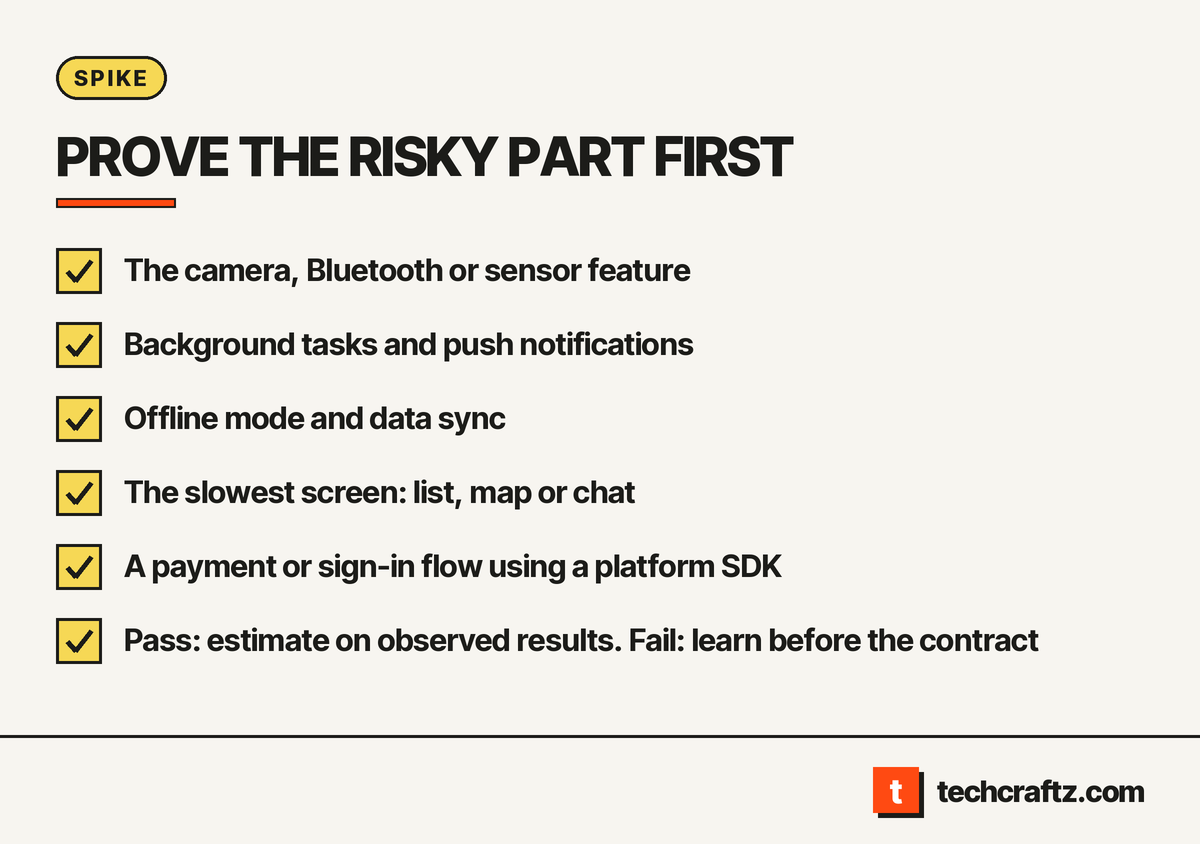
Every cross-platform project has one or two features that decide whether the approach holds. Find them in the brief and build only those first, as a short spike on real phones. A spike gives you a pass or a fail before the full scope is estimated.
Candidates for a spike:
- The camera, Bluetooth or sensor feature the product relies on.
- Background tasks and push notifications on both platforms.
- Offline mode and data sync, if the app must work without a connection.
- The slowest screen: a long list, a map with many markers, a chat thread.
- A payment or sign-in flow that depends on a platform SDK.
If the spike passes, the estimate rests on something observed. If it fails, you learned it before the contract.
The scope to write down
A proposal for cross platform app development is thin if it names a framework and nothing else. A usable scope also lists:
- The minimum iOS and Android versions the app supports.
- The devices tested, including at least one older phone.
- Which features use native modules, and who maintains them.
- How framework and operating system upgrades are handled after launch, and who is responsible.
- Store accounts opened in your name, with signing keys handed over.
- A crash reporting and analytics setup before the first release.
- The repository, build instructions and release steps, all in your accounts.
Pick the framework last. The Kotlin Multiplatform documentation suggests weighing team expertise, vendor support, UI customization, maturity, capabilities and security. LeanCode, a Flutter specialist, adds long-term goals and project complexity. Both lists are written by firms that sell one of the options, so use them as criteria, not as verdicts.
Cross platform app development with techcraftz
techcraftz builds mobile apps in Flutter and React Native, with the backend and store submission scoped in the same document. If native is the right call for your product, the written scope says so. See custom mobile app development for the stages and deliverables.
Describe the app, the platforms and the one feature you worry about most. Get a written scope, or read about techcraftz first.
Last checked: October 14, 2026. Framework versions and store rules change; confirm current details before you sign.
Talk to us about your project
Tell us what you need. We help you scope the build, the milestones and a realistic estimate.
View services